
Who should see each task?
Define whether tasks are private to assignees, visible to managers or shared within a team. The screenshots show separated views, but production access rules need confirmation.
AppSheet · Task operations
The workflow challenge
When tasks are spread across personal notes, chats and spreadsheets, teams can struggle to see who owns an item and what its current status is.
How the process flows
The sequence is based on documented screens and workflow labels; the source materials do not substantiate production metrics.
Real application screenshots
Original screenshots from supplied application records, with sensitive information masked where needed.
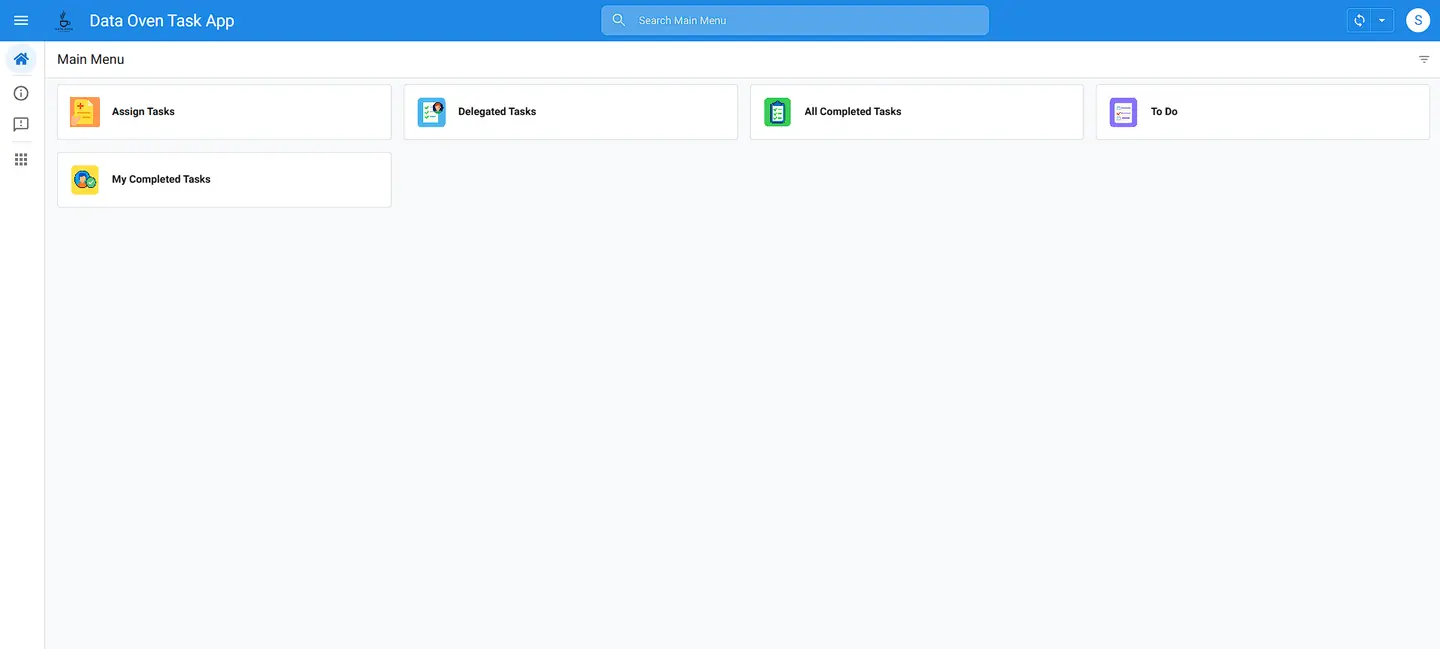
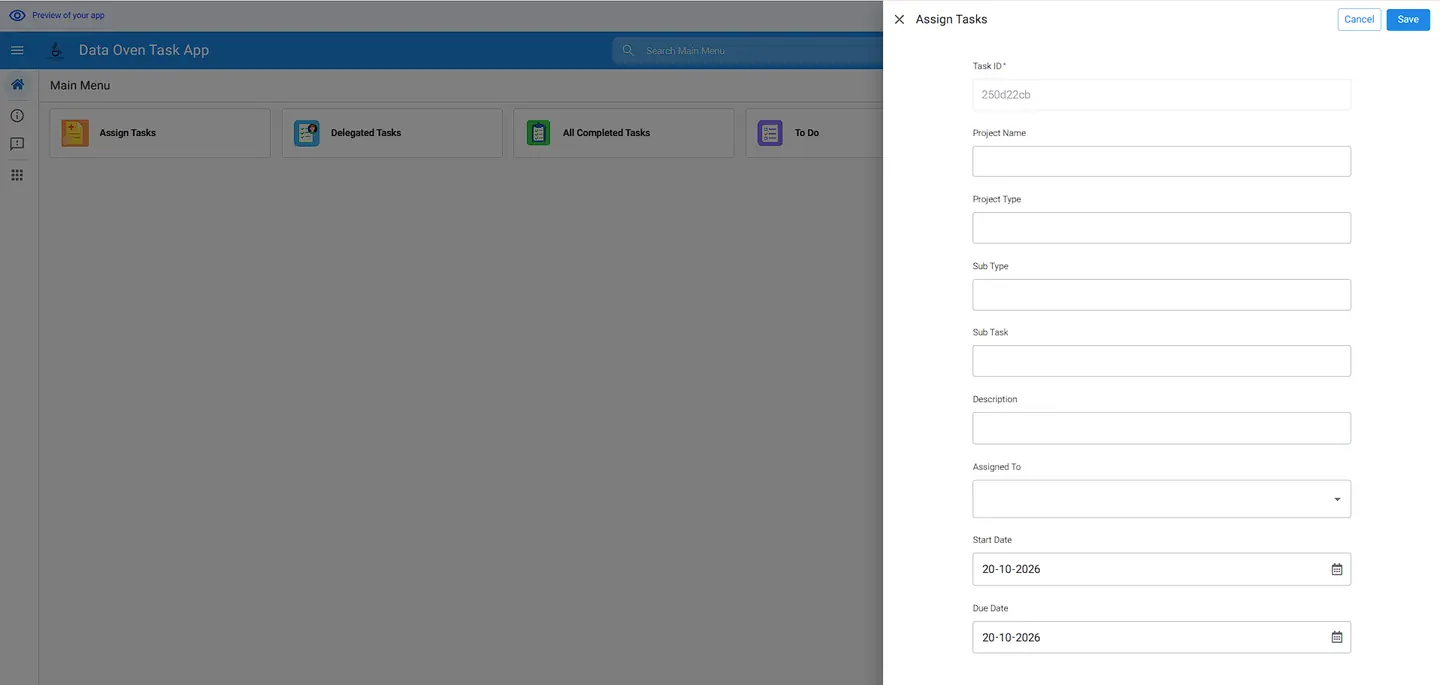
Implementation context
Screens and exported AppSheet documentation demonstrate configured views. The original report does not establish a live production deployment, notification delivery or measured time savings.
Questions before building a task app
A task list becomes useful when status changes, approvals and visibility are agreed before development.
Define whether tasks are private to assignees, visible to managers or shared within a team. The screenshots show separated views, but production access rules need confirmation.
Specify the difference between done, submitted for review and formally approved, along with who may reopen an item.
Decide which assignments, overdue tasks and approvals should trigger messages. The supplied screenshots alone do not prove live email or messaging delivery.
For scoping, bring your current task statuses, user roles and one example approval chain.
Let's work together
A project discussion can establish data ownership, users, licences, integrations and the acceptance tests that matter.