
What should scanning open?
Choose whether a scan reveals a product page, batch data or a restricted record. The landing page and access permissions need to be defined.
AppSheet · Product records
The workflow challenge
Teams need consistent product and batch identifiers that can be retrieved from a scannable record, without relying on handwritten references.
How the process flows
The sequence is based on documented screens and workflow labels; the source materials do not substantiate production metrics.
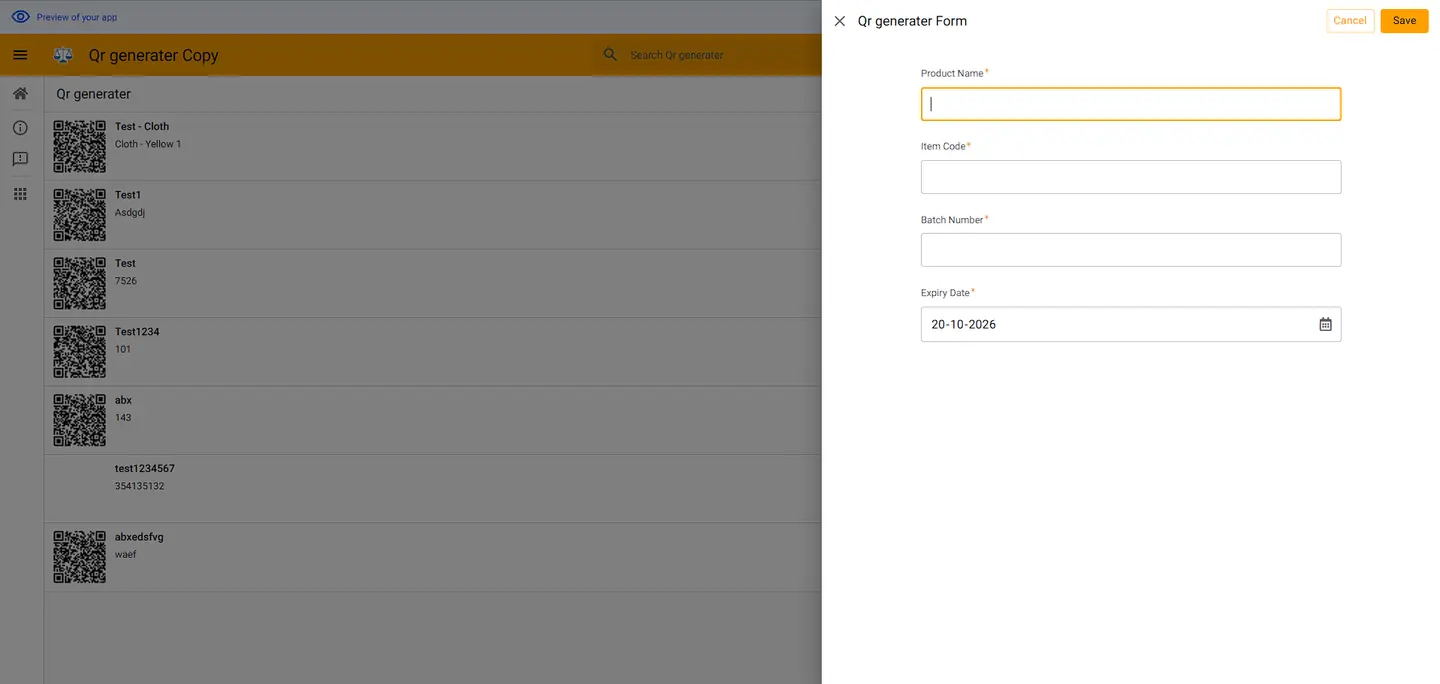
Real application screenshots
Original screenshots from supplied application records, with sensitive information masked where needed.
Implementation context
The supplied app export labels the configuration deployable, but scan volumes, printing reliability and production customer outcomes have not been verified.
Questions for QR workflows
A scannable graphic is only useful when its associated product record is accurate and accessible.
Choose whether a scan reveals a product page, batch data or a restricted record. The landing page and access permissions need to be defined.
Agree label dimensions, print volume, material and printer integration. The screenshots show QR download, not a validated label-printing workflow.
Decide whether expired batches should show a warning, block certain actions or merely remain searchable in the record history.
Bring a sample product record, a label size and the information a scan should display.
Let's work together
A project discussion can establish data ownership, users, licences, integrations and the acceptance tests that matter.